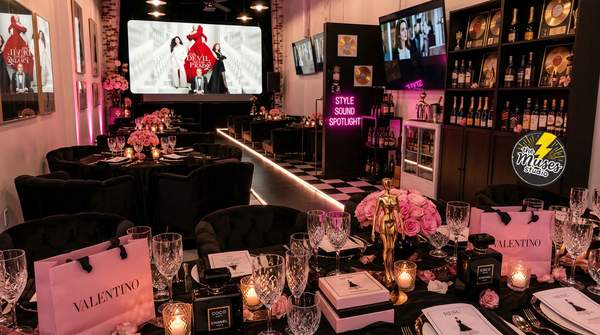
The product is sitting on the table. Your phone is recording, the packaging is half-open, and you’ve just discovered that demonstrating something with two hands is difficult when one of them is holding the camera.
Welcome to the wonderfully awkward beginning of user-generated content (UGC). A product video might look effortless on screen, but making one involves a series of small decisions about what to show and how to capture it. Star Lite Tech Co. carries phone tripods, ring lights, and desktop vlogging accessories that can give those ideas a more practical setup.
Your Product Needs a Proper Introduction
Imagine filming a reusable water bottle. You want to show its appearance, open the lid, demonstrate the drinking mechanism, and capture a close-up of a detail that makes it interesting.
That is already several different shots, even though the finished video might last less than a minute. The camera needs a clear view of the object, your hands need room to demonstrate it, and the lighting needs to reveal what the viewer is supposed to notice.
A sensible sequence begins with an overview, moves to the product in use, and finishes with the most distinctive detail. That gives each shot a purpose instead of producing several clips of someone turning an object around.
The equipment can support that sequence without deciding it for you. A tripod holds the phone in position, a light changes how the object appears, and a microphone may be relevant if spoken explanation is part of the recording.
Give the Phone Somewhere Else to Be
The first challenge is physical. If both hands are involved in opening a package, demonstrating a mechanism, or arranging an item, the phone needs support outside the action.
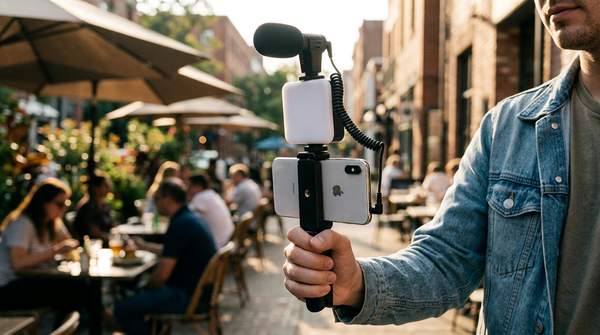
Star Lite Tech Co. lists the Desktop Phone Vlogging Kit with Tripod, Light & Microphone in its Tripods & Stands collection. Its product configuration brings three different recording components into one offering, creating an option for someone interested in filming tabletop demonstrations with spoken commentary.